If you are preparing for GATE, one habit separates toppers from the rest — they solve every gate previous year question paper they can get their hands on, session after session, instead of relying only on mock tests. This article gives you the official gate exam question paper and gate answer key links for the latest cycle, explains exactly how the GOAPS response sheet system works, and shows you a practical method to convert PYQ practice into a real score improvement — not just a PDF sitting unused in your downloads folder.
GATE (Graduate Aptitude Test in Engineering) decides admission into IITs/NITs for M.Tech and, through PSU recruitment via GATE scores, some of the best public-sector jobs in the country. Every year the organizing IIT changes on rotation, and for the current cycle, IIT Guwahati is the organizing institute.
GATE 2026 Question Paper Download — What Actually Happened This Year
IIT Guwahati conducted the GATE 2026 exam over four days — February 7, 8, 14, and 15, 2026 — in computer-based test (CBT) mode across 30 test papers. The response sheets and provisional answer keys were released on the GOAPS portal on February 22, 2026, and candidates were given a window from February 25 to 28, 2026 to raise objections against any answer they disagreed with. Once that objection window closed, IIT Guwahati finalized the Master Question Papers and Answer Keys and published them on the official website, and results followed on March 19, 2026.
Two things are worth understanding before you download anything:
- The Master Question Paper is not exactly what you saw on your screen. The order of questions and the order of options inside each question were randomized per candidate during the actual exam, so your personal question order will differ from the master copy. Always check your own response sheet from GOAPS alongside the Master Question Paper — don’t cross-check using the master paper alone.
- The Answer Key you download from the official site is the final, post-objection key — the one actually used for result computation, not the provisional one released on exam day.
GATE Branch Wise Question Paper — Official PDF Links (GATE 2026)
Below is the complete subject-wise list, taken directly from IIT Guwahati’s official GATE 2026 portal. Every link opens the original PDF hosted on gate2026.iitg.ac.in — nothing here is re-uploaded or modified, so you can trust the content is identical to what IIT Guwahati published.
| Subject | Question Paper | Answer Key |
|---|---|---|
| Aerospace Engineering (AE) | Download | Download |
| Agricultural Engineering (AG) | Download | Download |
| Architecture & Planning (AR) | Download | Download |
| Biomedical Engineering (BM) | Download | Download |
| Biotechnology (BT) | Download | Download |
| Civil Engineering – CE-1 (Forenoon) | Download | Download |
| Civil Engineering – CE-2 (Afternoon) | Download | Download |
| Chemical Engineering (CH) | Download | Download |
| Computer Science – CS-1 (Forenoon) | Download | Download |
| Computer Science – CS-2 (Afternoon) | Download | Download |
| Chemistry (CY) | Download | Download |
| Data Science & AI (DA) | Download | Download |
| Electronics & Communication (EC) | Download | Download |
| Electrical Engineering (EE) | Download | Download |
| Environmental Science & Engineering (ES) | Download | Download |
| Ecology & Evolution (EY) | Download | Download |
| Geomatics Engineering (GE) | Download | Download |
| Geology & Geophysics – Geology (GG-1) | Download | Download |
| Geology & Geophysics – Geophysics (GG-2) | Download | Download |
| Instrumentation Engineering (IN) | Download | Download |
| Mathematics (MA) | Download | Download |
| Mechanical Engineering (ME) | Download | Download |
| Mining Engineering (MN) | Download | Download |
| Metallurgical Engineering (MT) | Download | Download |
| Naval Architecture & Marine Engg (NM) | Download | Download |
| Petroleum Engineering (PE) | Download | Download |
| Physics (PH) | Download | Download |
| Production & Industrial Engg (PI) | Download | Download |
| Statistics (ST) | Download | Download |
| Textile Engg & Fibre Science (TF) | Download | Download |
| Engineering Sciences (XE) | Download | Download |
| Life Sciences (XL) | Download | Download |
| Humanities & Social Sciences – Economics (XH-C1) | Download | Download |
| Humanities & Social Sciences – English (XH-C2) | Download | Download |
| Humanities & Social Sciences – Linguistics (XH-C3) | Download | Download |
| Humanities & Social Sciences – Philosophy (XH-C4) | Download | Download |
| Humanities & Social Sciences – Psychology (XH-C5) | Download | Download |
| Humanities & Social Sciences – Sociology (XH-C6) | Download | Download |
Source: GATE 2026, IIT Guwahati — official portal. AspirantVeda is not affiliated with IIT Guwahati; we only index and explain these official documents.
GATE Response Sheet 2026 — How the GOAPS Portal Works
Apart from the public Master Question Papers above, every candidate also gets a personal response sheet. This is different from the master paper because it shows the exact question order and the options exactly as you saw them on your own screen, along with the option you actually selected.
To check your GATE response sheet:
- Go to the GOAPS portal at goaps.iitg.ac.in.
- Log in using your enrollment ID and password.
- Open the “Response Sheet” section to view your recorded answers.
- Cross-check each response against the corresponding subject’s final answer key from the table above.
This step matters more than most candidates realize — because option order was randomized, matching your GOAPS response sheet with the master answer key (not blindly assuming your on-screen option “A” is the master paper’s option “A”) is the only accurate way to self-evaluate.
Why GATE PYQ Practice Beats Random Mock Tests
A gate pyq is not just old content — it is the closest real proxy for how the exam-setting committee actually thinks. Coaching mock tests are written by external faculty trying to guess the pattern; previous year papers are written by the people who set the real exam. That’s a meaningful difference, and it shows up in three ways:
- Difficulty calibration: solving 5–6 years of gate previous year papers gives you a realistic feel for how hard “hard” actually is in GATE, instead of over- or under-estimating based on a coaching test series.
- Repeated concepts: certain topics — network theorems in EE, thermodynamics cycles in ME, DBMS normalization in CS — reappear with new numbers almost every year. PYQs reveal exactly which concepts are worth extra revision time.
- Time management under real constraints: GATE is 3 hours for 65 questions with a mix of MCQ, MSQ, and NAT types. Only an actual past paper reproduces that exact mix and pressure; a topic-wise mock test usually doesn’t.
Also read GATE 2026: Complete Guide — Exam Dates, Result, Cutoff, Syllabus aur Aage Ki Planning
How to Download GATE Previous Year Question Paper PDFs — Step by Step
- Identify your test paper code — e.g., CS for Computer Science, ME for Mechanical, EC for Electronics. This is the code you’ll search for across years.
- Start with the most recent official archive — the current organizing institute (IIT Guwahati for 2026) hosts the latest cycle; earlier years remain archived on the respective past organizing institutes’ sites or on the official GATE information brochure pages.
- Download both the question paper and the corresponding answer key together — a paper without its key is far less useful for self-assessment.
- Save files by year and subject (e.g.,
ME_2026,ME_2025,ME_2024) so your practice stays organized as you build a multi-year archive. - Avoid third-party “modified” PDFs — some unofficial sites re-type or re-format papers, which occasionally introduces printing errors or an incorrect answer. Stick to files sourced from the official GATE portal of the relevant year.
GATE Solved Question Papers — Using Them the Right Way
A “solved” paper is only useful if you resist the urge to read the solution before attempting the question yourself. The method that actually improves your score:
- Attempt the full paper first, under a strict 3-hour timer, with no reference material — treat it exactly like exam day.
- Mark every question you were unsure about, even if you got it right, separately from questions you were confident about.
- Only after finishing, open the solved version or answer key and go question-by-question.
- For each wrong or guessed answer, write one line on why you got it wrong — silly mistake, concept gap, or time pressure. This one habit does more for score improvement than solving five more random papers.
GATE Marking Scheme — Know This Before You Self-Evaluate
Understanding the marking rules is essential before you calculate any score from an answer key:
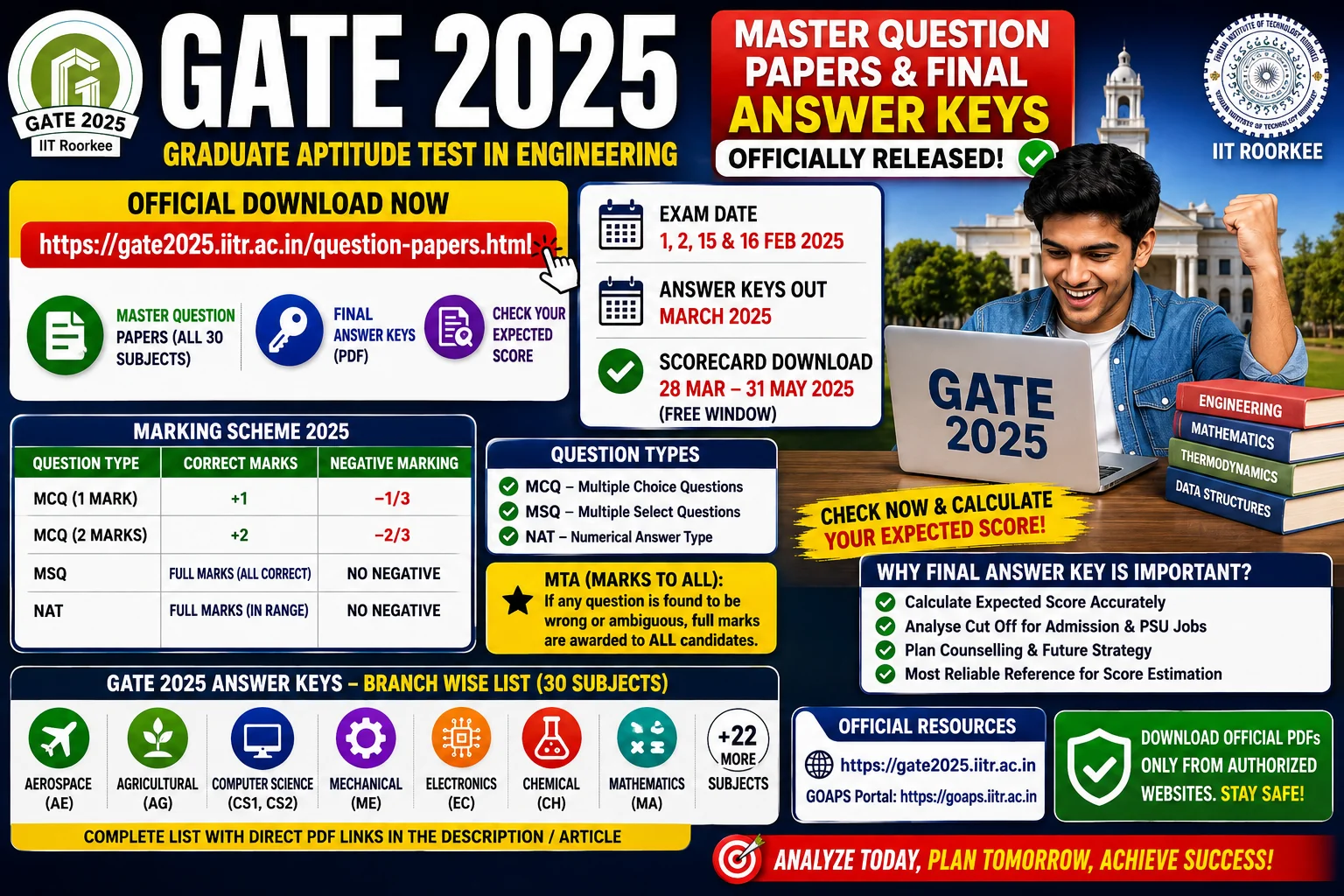
- MCQ (Multiple Choice Questions): Only one correct option. Wrong answers carry negative marking — one-third negative marks for 1-mark questions and two-thirds negative marks for 2-mark questions.
- MSQ (Multiple Select Questions): All correct options must be selected with no incorrect option chosen to get full marks. There is no partial credit and no negative marking for MSQs.
- NAT (Numerical Answer Type): Your entered value must fall within the range specified in the answer key. No negative marking applies to NAT questions.
- MTA (Marks To All): Occasionally a question is dropped or found ambiguous after the objection process; when this happens, the answer key marks it MTA, meaning every candidate who attempted that test paper receives full marks for that question regardless of what they answered.
How to Calculate Your Expected GATE Score
- Open your GOAPS response sheet and the final answer key for your subject side by side.
- Go question by question, applying the marking rules above (+1 or +2 for correct, negative marking only for wrong MCQs, zero for unattempted).
- Add up your raw marks, then check the year’s official GATE score normalization formula (published in the GATE information brochure) if you want an estimated normalized score rather than raw marks — normalization matters most for multi-session papers like CS, EC, ME, and CE.
- Cross-verify borderline calculations against a couple of previous years’ actual cutoffs for your subject and category, so your expected score has real context.
Who Should Use These Resources
- GATE 2026 candidates who want to verify their score before the official result window closes further objections in future cycles.
- GATE 2027 aspirants who are starting preparation now and need a realistic difficulty benchmark from real past papers.
- PSU recruitment aspirants, since several PSUs shortlist directly on GATE scores.
- Coaching educators and self-study groups building a topic-wise question bank from multiple years of official papers.
FAQs
Q1. Are the GATE 2026 question papers and answer keys linked here official? Yes. Every link in the branch-wise table above points directly to a PDF hosted on gate2026.iitg.ac.in, the official IIT Guwahati GATE 2026 website.
Q2. Is the answer key shown here the final key or the provisional one? This is the final answer key, published after the objection window (February 25–28, 2026) closed and all valid challenges were reviewed. It’s the version actually used for result computation.
Q3. Why does my response sheet show different question numbering than the Master Question Paper? Because question order and option order were randomized per candidate during the exam. Always match your response sheet (from GOAPS) against the answer key by question content, not by position.
Q4. Can I still use GATE 2025 or earlier papers for GATE 2027 preparation? Yes — the core syllabus for most papers changes very little year to year, so a 4–5 year PYQ archive remains one of the most reliable ways to prepare, alongside the latest GATE 2026 paper.
Q5. Do I need to log in to download the question papers and answer keys? No, the Master Question Papers and Answer Keys are public PDFs. Only the personal response sheet requires a GOAPS login with your enrollment ID and password.
Q6. Where can I check GATE 2026 cutoffs? IIT Guwahati publishes category-wise and subject-wise cutoff marks on the official GATE 2026 cut-off page after results are declared.
Bookmark this page — as new GATE cycles are announced, we’ll keep this branch-wise archive updated with the latest official question papers, answer keys, and response sheet links so you always have one reliable place to practice from.